
DataGrip is a JetBrains IDE for working with multiple databases, including DuckDB. This guide covers the quickest way to connect. For more detailed instructions on how to start working with DuckDB, check out the DataGrip documentation.
Quote
DuckDB turned out to be the simplest option to integrate.
– Ilia Epelbaum, DataGrip, JetBrains, from the “How JetBrains Built Cross-Database Queries into DataGrip with DuckDB” blog post
Installing DataGrip
Download DataGrip from the official JetBrains website and install it.
Creating a DuckDB Data Source
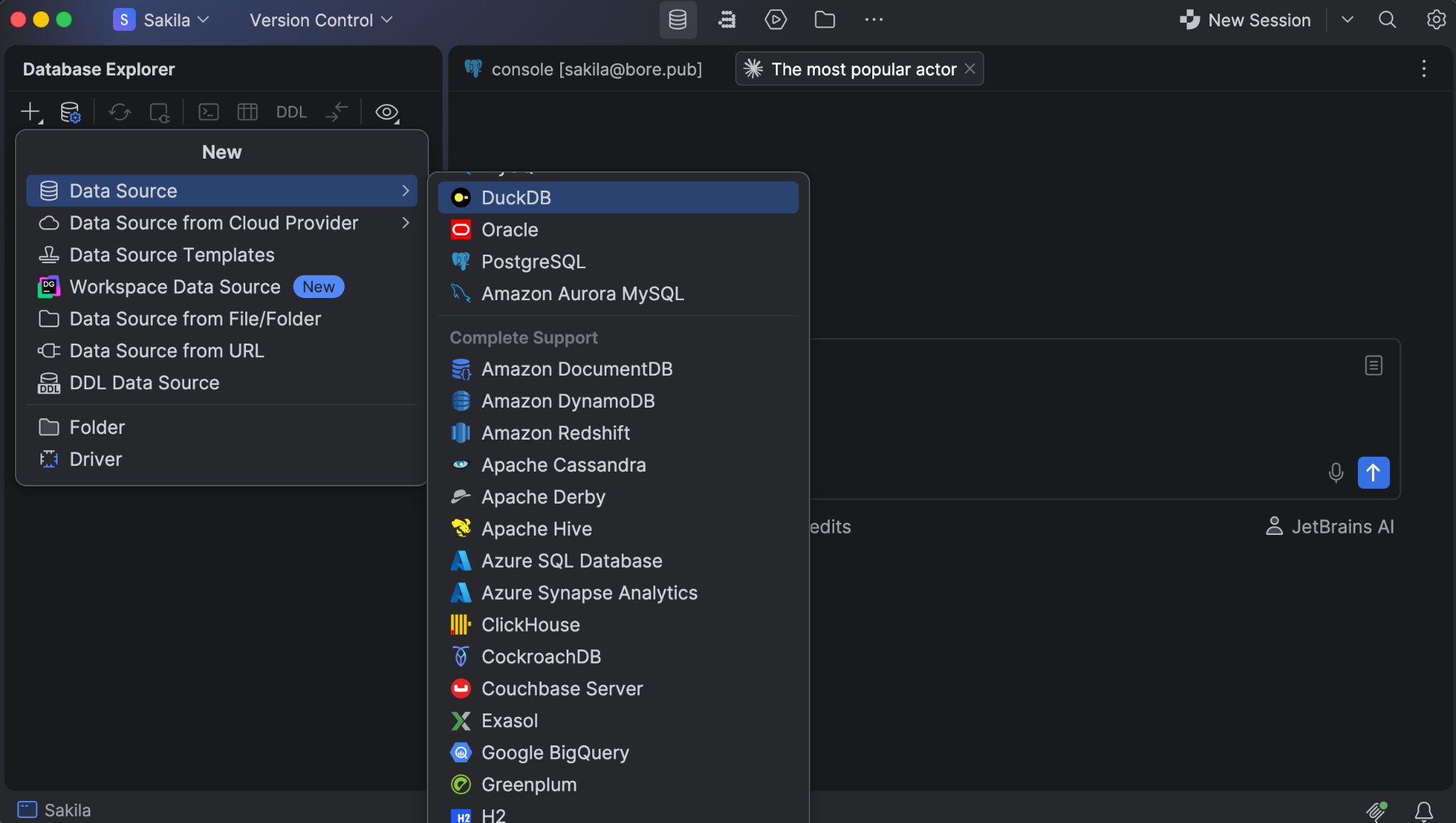
| Go to File | New | Data Source and select DuckDB. |
| Alternatively, open the database explorer (⌘1 on macOS, Alt+1 on Windows and Linux), click New (+), and go to Data Source | DuckDB. |
Setting Up the Connection
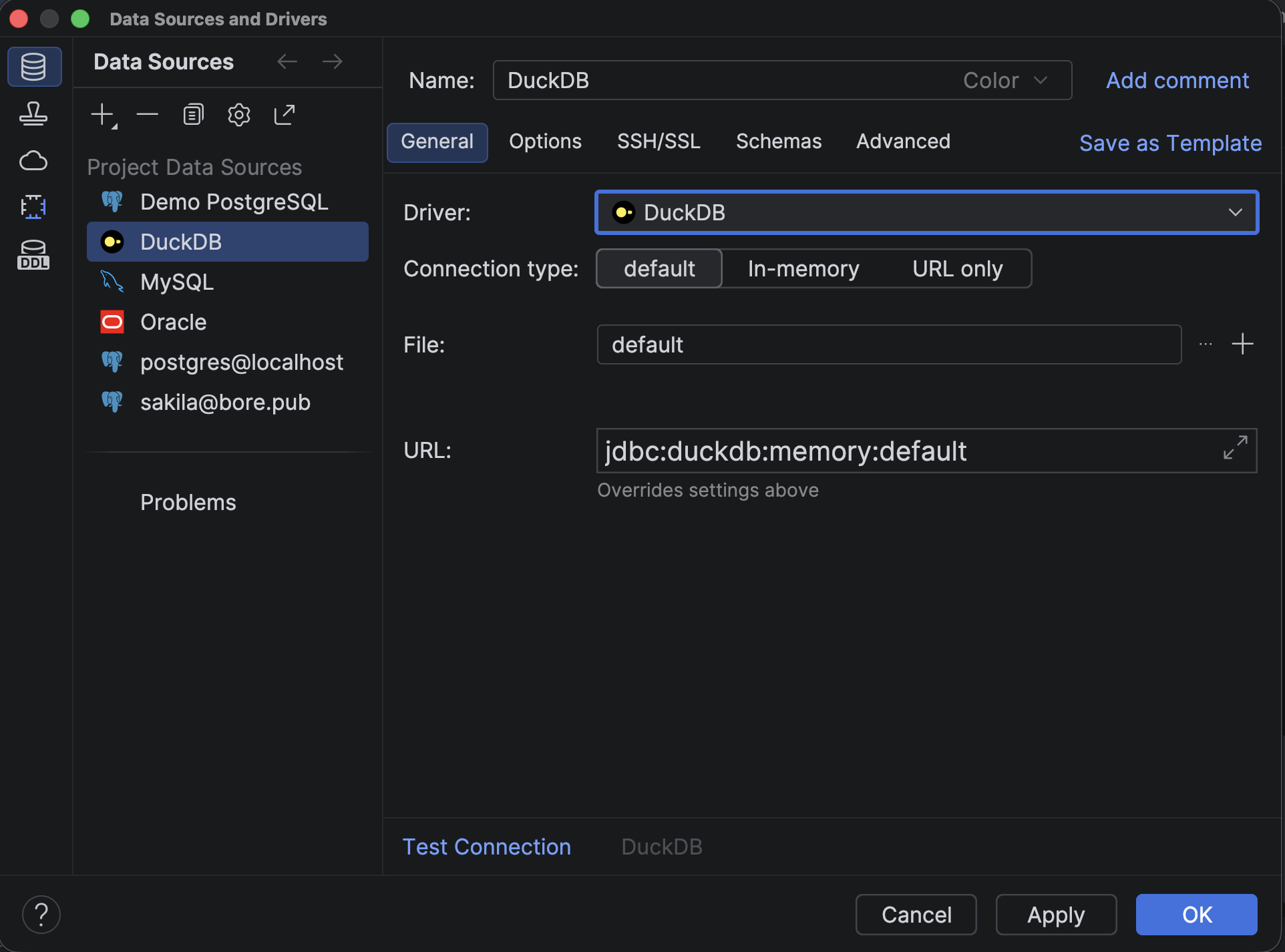
On the General tab, choose a connection type:
- Default: a database file.
- In-memory
- URL only
For Default, click Open to select an existing database file, or New to create one. DataGrip fills in the URL for you.
Getting the Driver and Testing the Connection
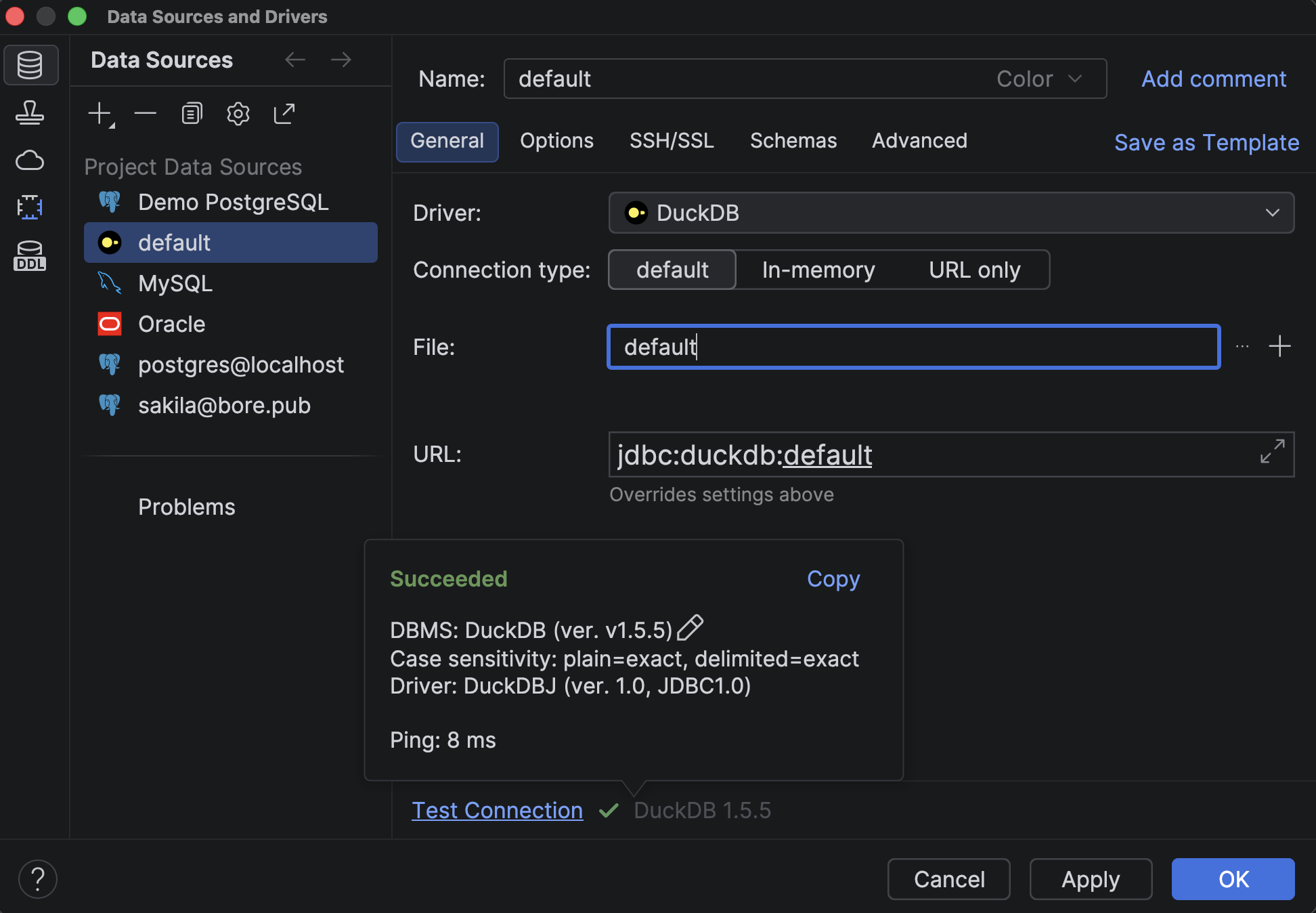
If you see the Download missing driver files link, click it.

Then click Test Connection, and then OK.
Running Queries
Select your data source in the database explorer and press F4 to open a query console.
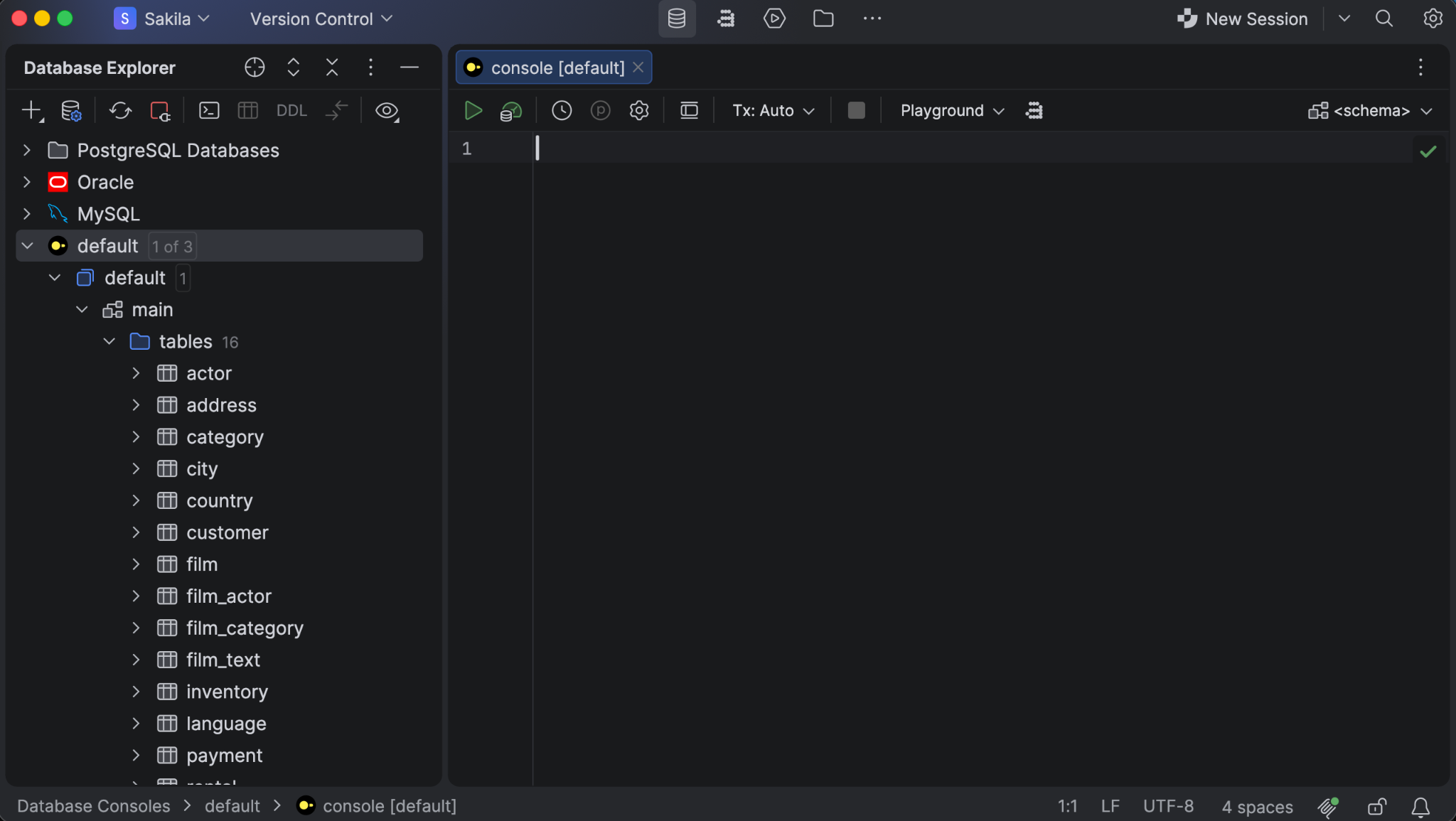
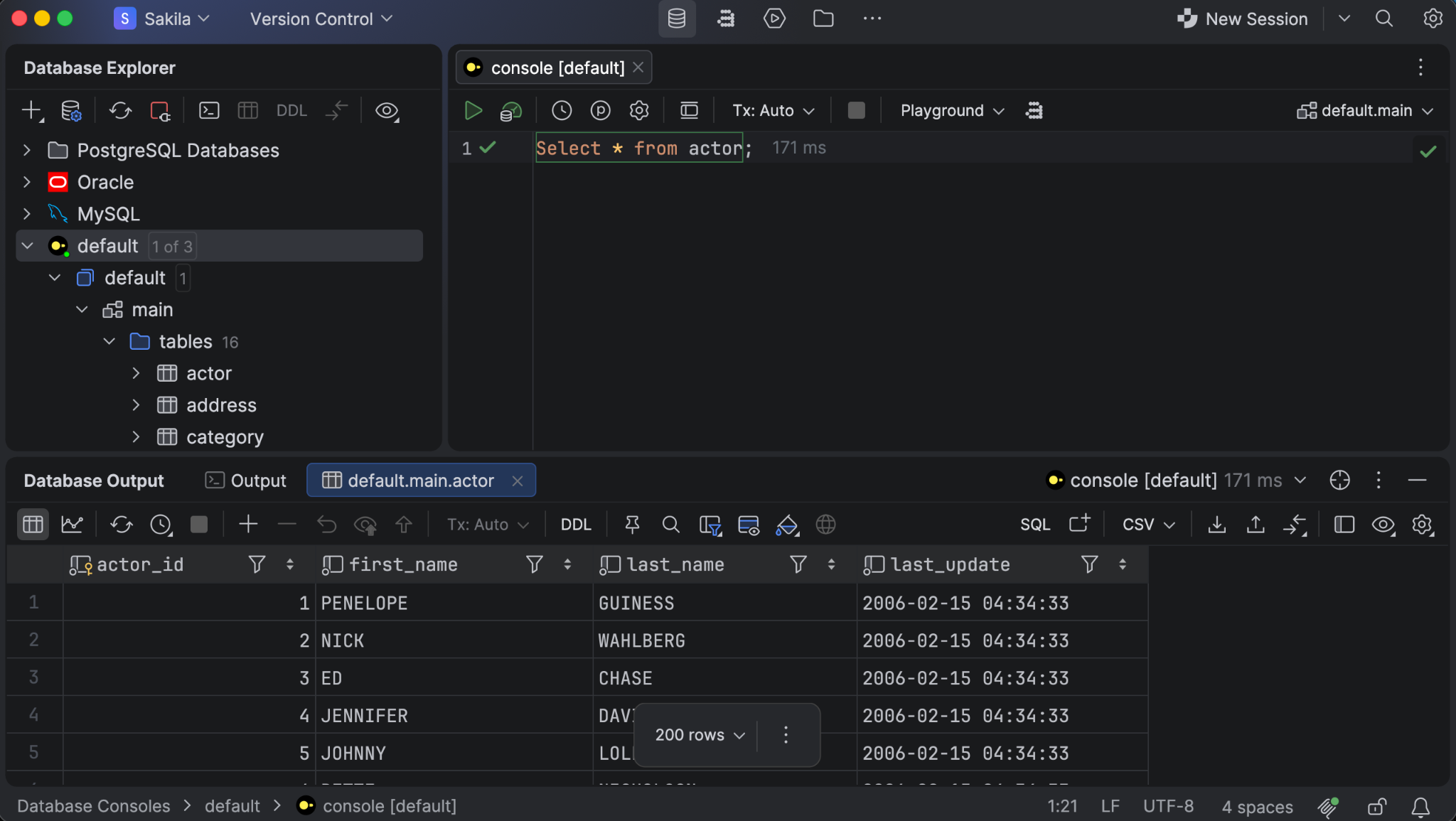
Write your SQL and run it. For demo purposes, we loaded data from the Sakila sample database.
Running SELECT * FROM actor shows the results in the Database Output pane, along with the row count and execution time.
Quote
We highlight that it’s DuckDB.
– Ilia Epelbaum, DataGrip, JetBrains, from the “How JetBrains Built Cross-Database Queries into DataGrip with DuckDB” blog post
Where to Learn More
Quote
With DuckDB and its support for custom table functions, cross-database queries have finally become practical in DataGrip. Users can join data from PostgreSQL, MySQL, MongoDB, or any other supported database in one query, without setting up extra infrastructure.
– Maxim Sobolevskiy, Head of Database Ecosystem at JetBrains, from the “How JetBrains Built Cross-Database Queries into DataGrip with DuckDB” blog post
This guide only describes how to get started with DuckDB in DataGrip. To see everything DataGrip allows you to do, watch the videos in the DataGrip playlist on YouTube or explore the features overview page or the DataGrip home page. DataGrip is free for non-commercial projects, and a 30-day free trial is available to explore it yourself.